

Talk to a Geek
Product

Source Control

Maintain your Pick BASIC code without fear of losing updates to costly overwrites or system crashes. Source Control keeps a full version history in Git, with commits pushed silently in the background as your developers work.

Version control
Git: GitHub, Bitbucket or any mainstream host
Works with
MVsharp, D3, UniVerse, jBASE
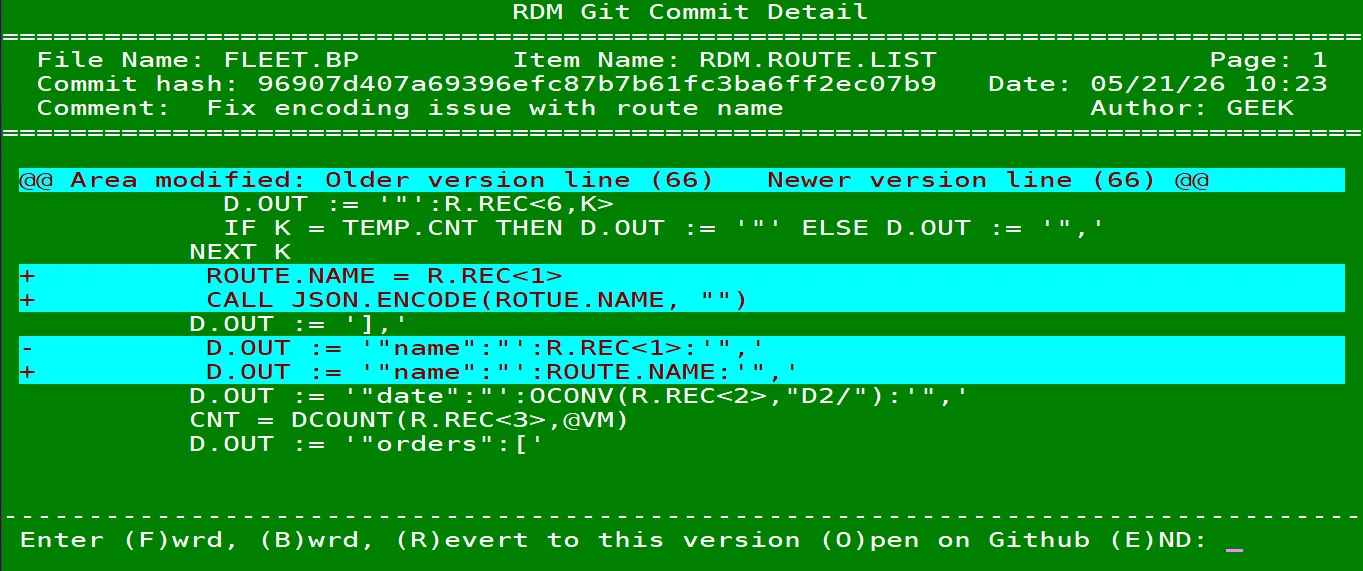
RDM Git Commit Detail screen in a MultiValue terminal: the commit message, author and the MultiValue BASIC lines changed
The challenge

One overwrite can cost days of work

Without version control, a program overwritten by mistake or lost in a system crash is simply gone, and there is no record of who changed what, or why.

How it works

How Source Control works

  1. 01

    Install

    We install Source Control on your MultiValue system and connect it to your private Git repository, usually in less than a day.

  2. 02

    Develop

    Your developers keep working as usual. Commits push silently in the background when they use standard verbs.

  3. 03

    Recover

    Browse the full history and roll back a change from your Git host or from within your Pick environment.

What it does

Key features

Track history

Every commit is a snapshot of your code at a point in time. With a full version history, an emergency rollback is never a reason to panic.

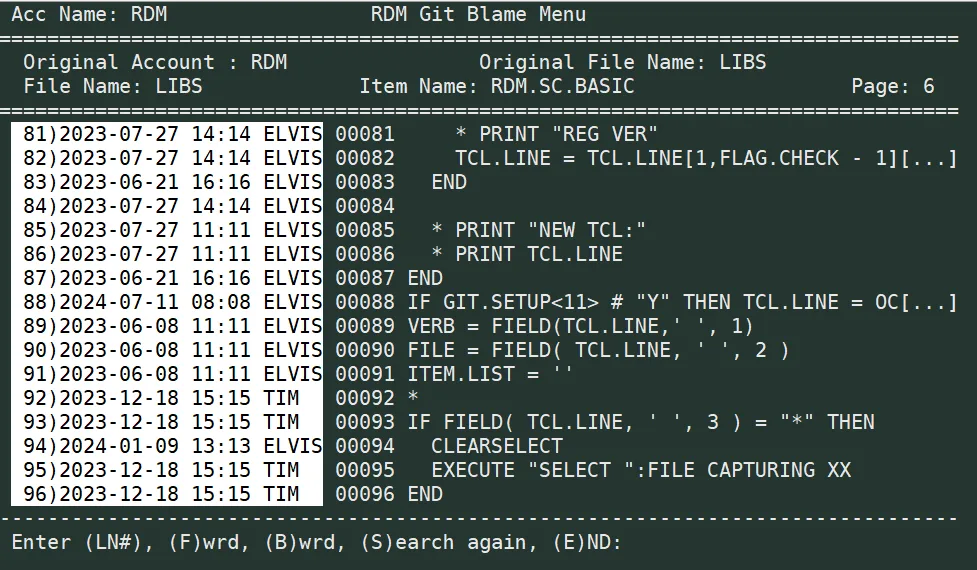
RDM Git Blame screen: who last changed each line of a MultiValue BASIC program, and when

No extra steps

Once installed, Source Control adds no steps to your development cycle. Commits push silently in the background when you use standard verbs.

Sync to the cloud

Keep your history in a private repository on GitHub, Bitbucket or any other mainstream version control hub. Offsite storage adds a layer of protection, and you can restore code in an instant from anywhere or download a backup.

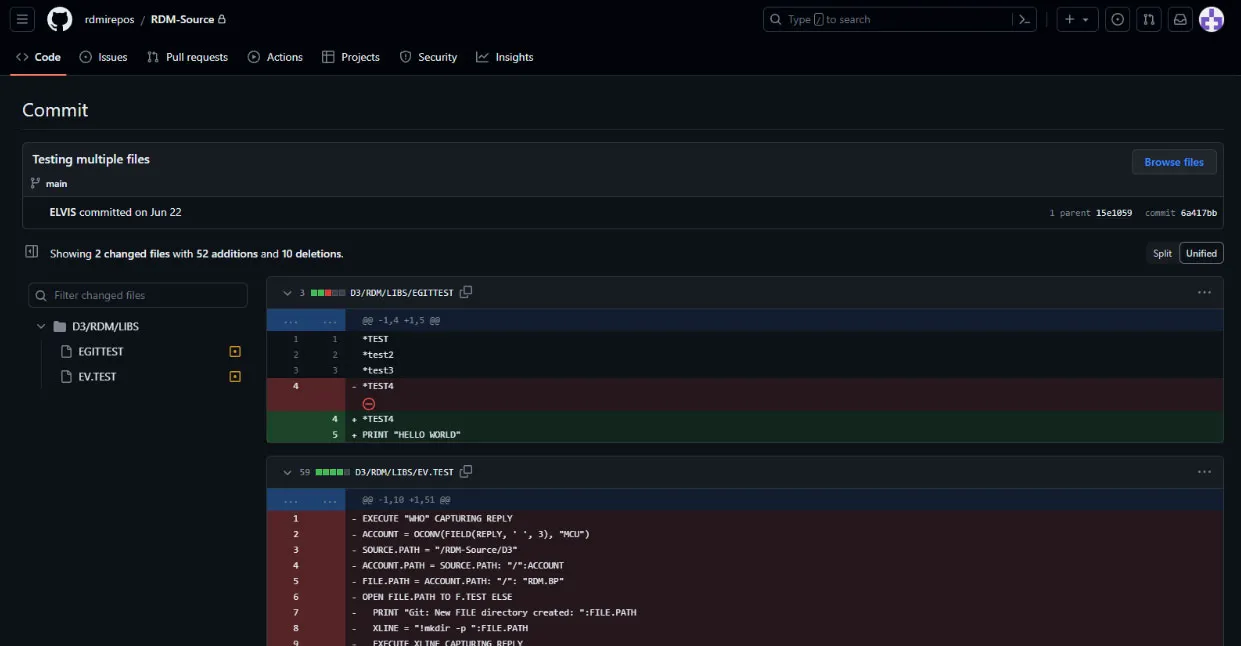
A commit in the Git repository showing changes to a MultiValue BASIC program

Commit messages

Administrators can require custom commit messages to identify changes, or opt into AI assistance to review code updates and write the messages for you.

Compiling a program from TCL with a commit message: COMPILE FLEET.BP RDM.ROUTE.LIST -M "Fix encoding issue with route name"

Work from your Pick environment

Commit and revert changes through your version control interface or directly from within your Pick environment, and browse your entire revision history.

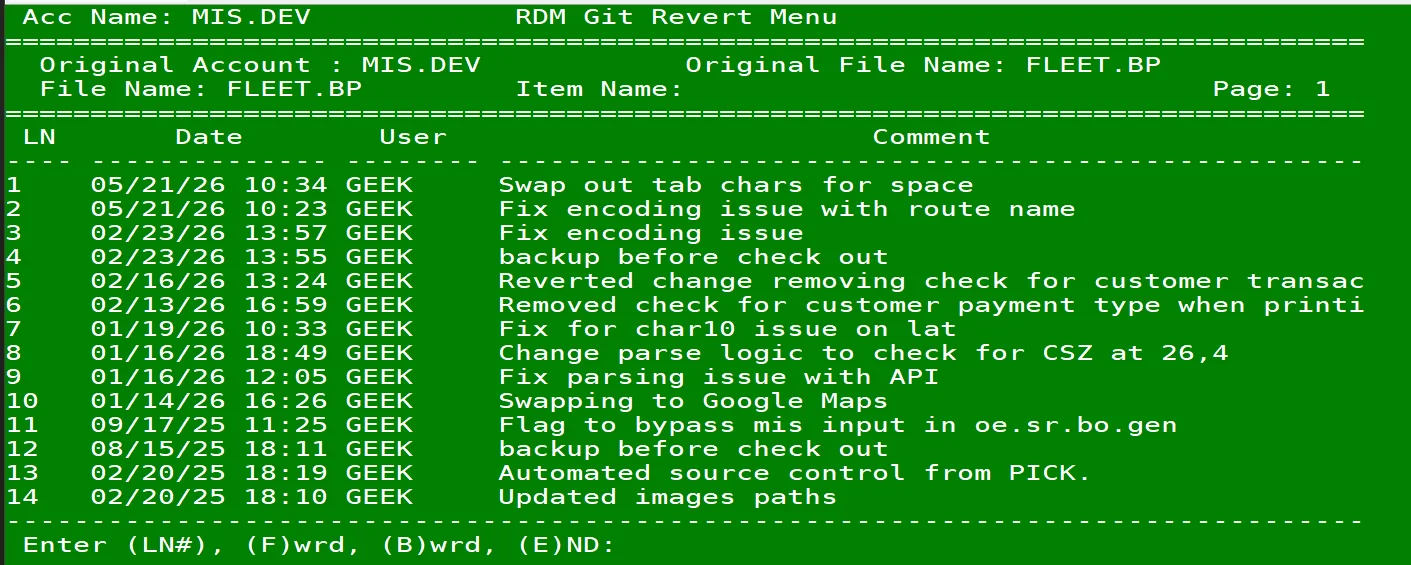
RDM Git Revert Menu in a MultiValue terminal: the revision history of a program file with dates, users and comments

Built for MultiValue

Our MultiValue source control is designed to fit your system architecture. Whether you're using MVsharp, D3, UniVerse or jBASE, it drops in with minimal setup: provide access keys to your Git repository and start coding with confidence. In-house and third-party developers alike work on the same tracked code.

Who it’s for
  • In-house MultiValue development teams
  • Businesses that bring in outside developers
  • Teams that need a record of who changed what, and when
  • Anyone who wants an offsite copy of their MultiValue BASIC code
Talk to a Geek
How we work

Working with RDM

We work with the system you have to create the solution you need.

  1. 01

    Consultation

    Chat with one of our Geeks about your system and what you need. No sales pitch.

  2. 02

    A clear quote

    We quote the setup, installation and any customization before work starts.

  3. 03

    Installed for you

    Our Geeks install and set up the product on your system, built around your existing business logic.

  4. 04

    Grows with you

    Share new needs with our engineers to extend the feature set and business logic as your business changes.

Setup and installation are quoted after a consultation. Talk to a Geek

FAQ

Source Control questions

Do our developers have to change how they work?

No. Once installed, commits push silently in the background when developers use standard verbs. They can also commit and revert from the version control interface or from within the Pick environment.

How long does setup take?

Less than a day. Our Geeks install Source Control on your MultiValue system and connect it to your private Git repository.

Can we roll back a change?

Yes. Every commit is a snapshot of your code, so you can revert from your Git host or from within your Pick environment.

Do we have to use AI for commit messages?

No. Administrators can require their own commit messages, or opt into AI assistance that reviews code updates and writes the messages.

Where is our code stored?

In a private Git repository on GitHub, Bitbucket or any other mainstream version control hub. You provide the access keys.

Which MultiValue platforms does it work with?

MVsharp, D3, UniVerse and jBASE.

What does it cost?

It depends on your system and setup. Chat with one of our Geeks for a consultation and a quote.

Talk to a Geek

Ready to get more from your MultiValue system?

Tell us what you’re running and what you need. A Geek will take it from there.