
Talk to a Geek
Product

Reports

Create custom reports from your MultiValue data once, publish them, and stop building the same report from scratch each time. RDM Reports extracts data directly from your database, lets you drag fields into place and emails the results on a schedule.

View
HTML
Export
Email, CSV or Excel XLS
Schedule
Daily, weekly, monthly or quarterly
Works with
MVsharp, D3, UniVerse, jBASE
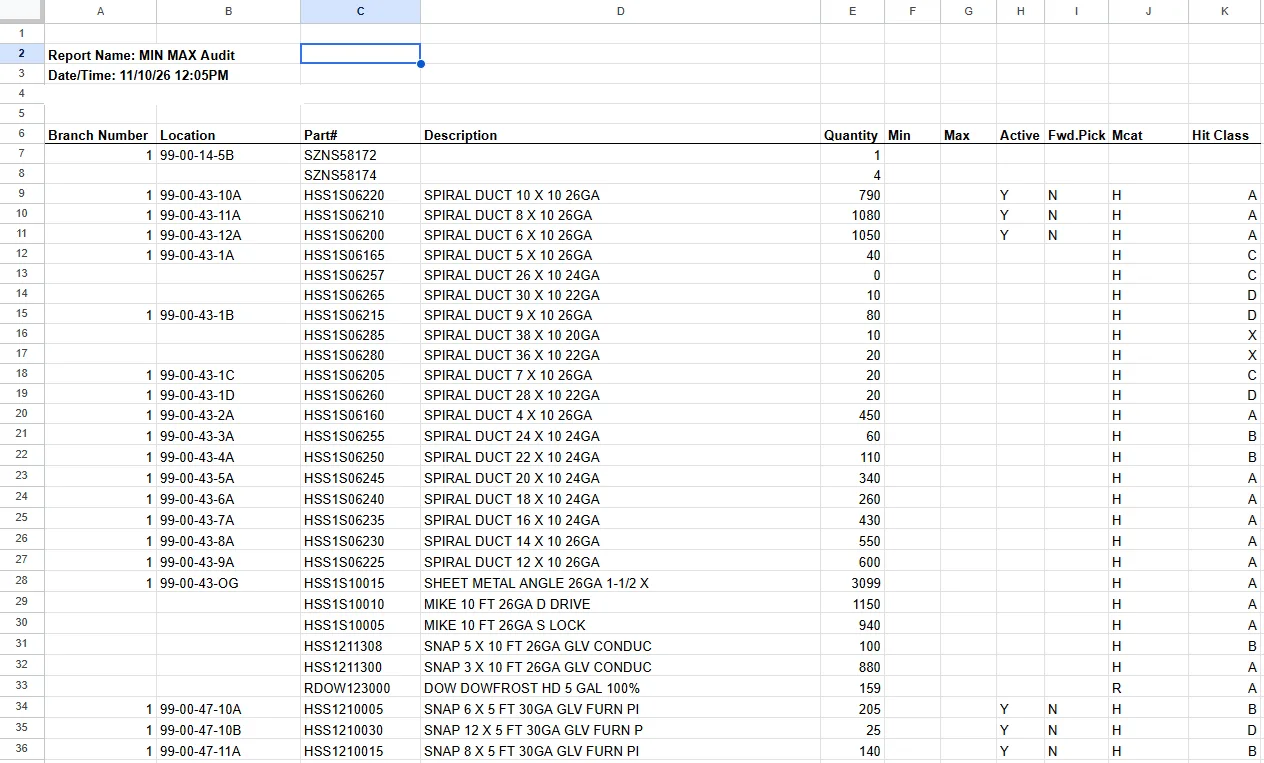
RDM report exported to a spreadsheet: a min/max audit by branch, location and part with quantity and hit class
The challenge

Stop rebuilding the same report

When reports are built by hand, someone spends time every week copying data out of the system and formatting it again, and the numbers are out of date as soon as they're sent.

How it works

How Reports works

  1. 01

    Choose

    Pick the data you need straight from your MultiValue database.

  2. 02

    Build

    Drag fields into place, arrange them, then publish the report for your team.

  3. 03

    Schedule

    Run it daily, weekly, monthly or quarterly and email Excel or CSV exports automatically.

What it does

Key features

Drag-and-drop reports

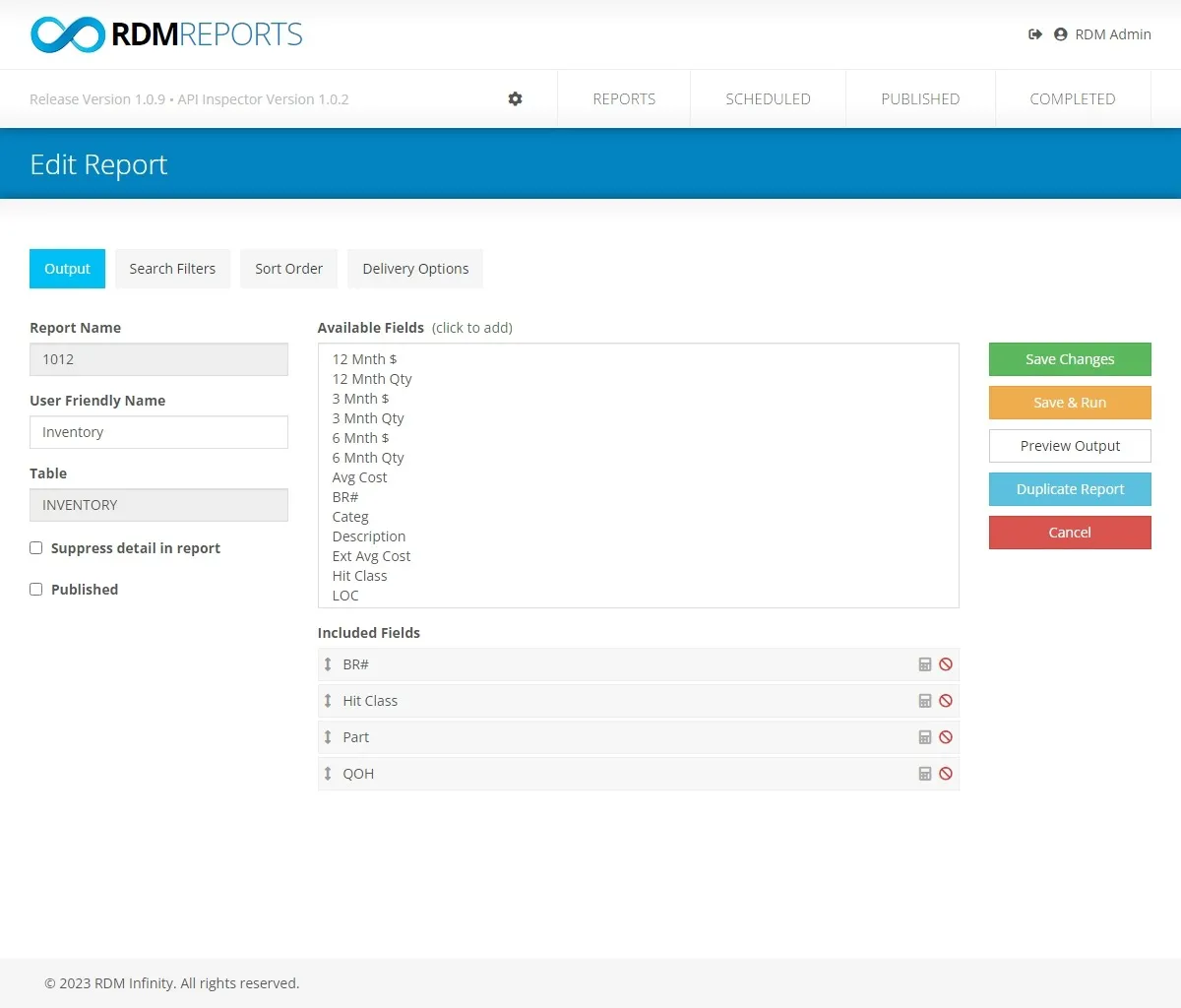
Drag fields into a report and arrange them to display your data in a meaningful way, all from a user-friendly interface.

RDM Reports editor: available fields on the left and the fields included in the report below

Build once, publish to the team

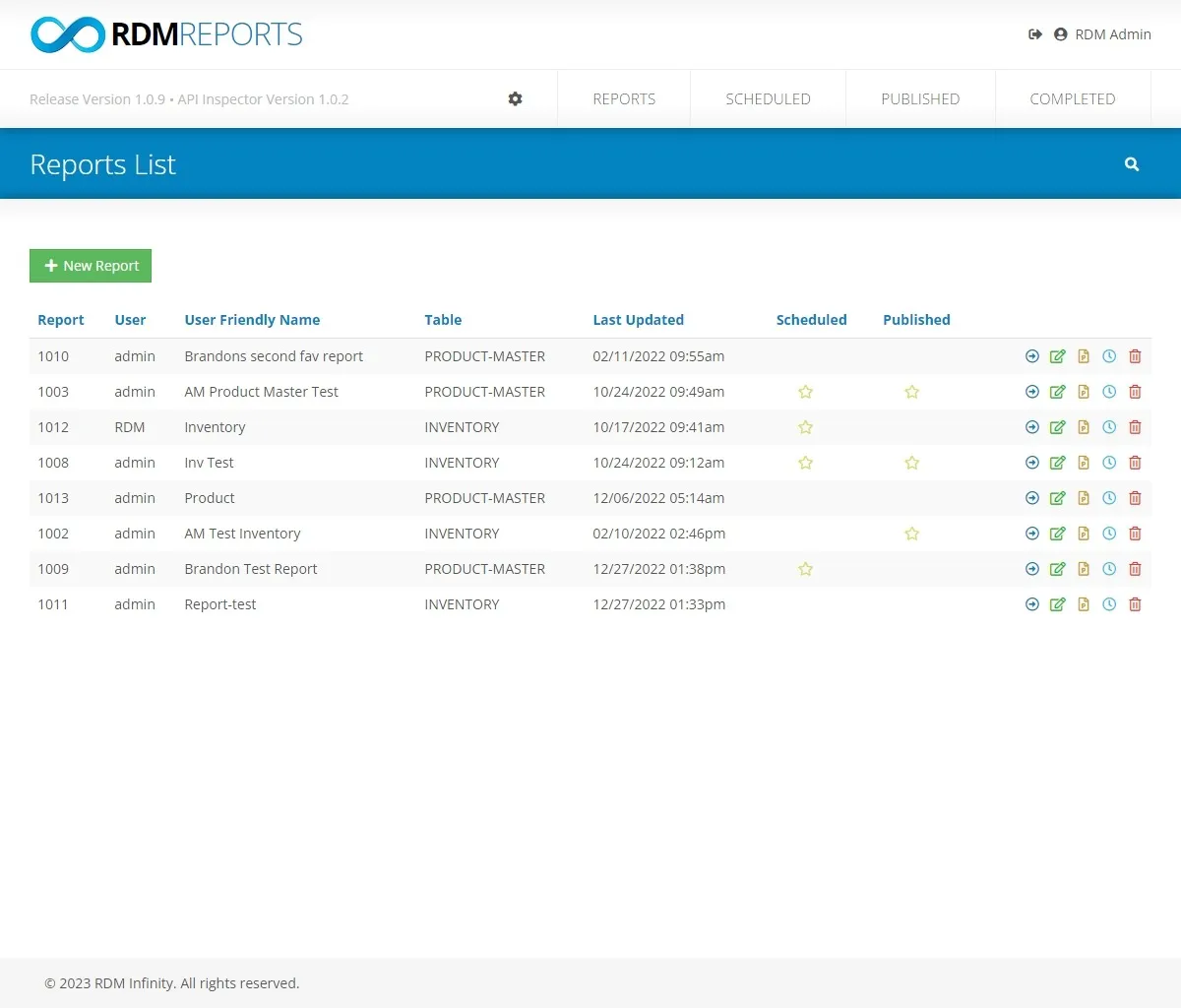
Create and publish reports for administrators and operations staff alike, without building a report from scratch each time.

RDM Reports list showing each report's table, last update, and scheduled and published status

Filter, sort and control access

Filter and sort report data to show exactly what each team needs, and control who can see and run each report.

Straight from your database

Reports extract data directly from your MultiValue system, so there is nothing to copy out first.

View and export

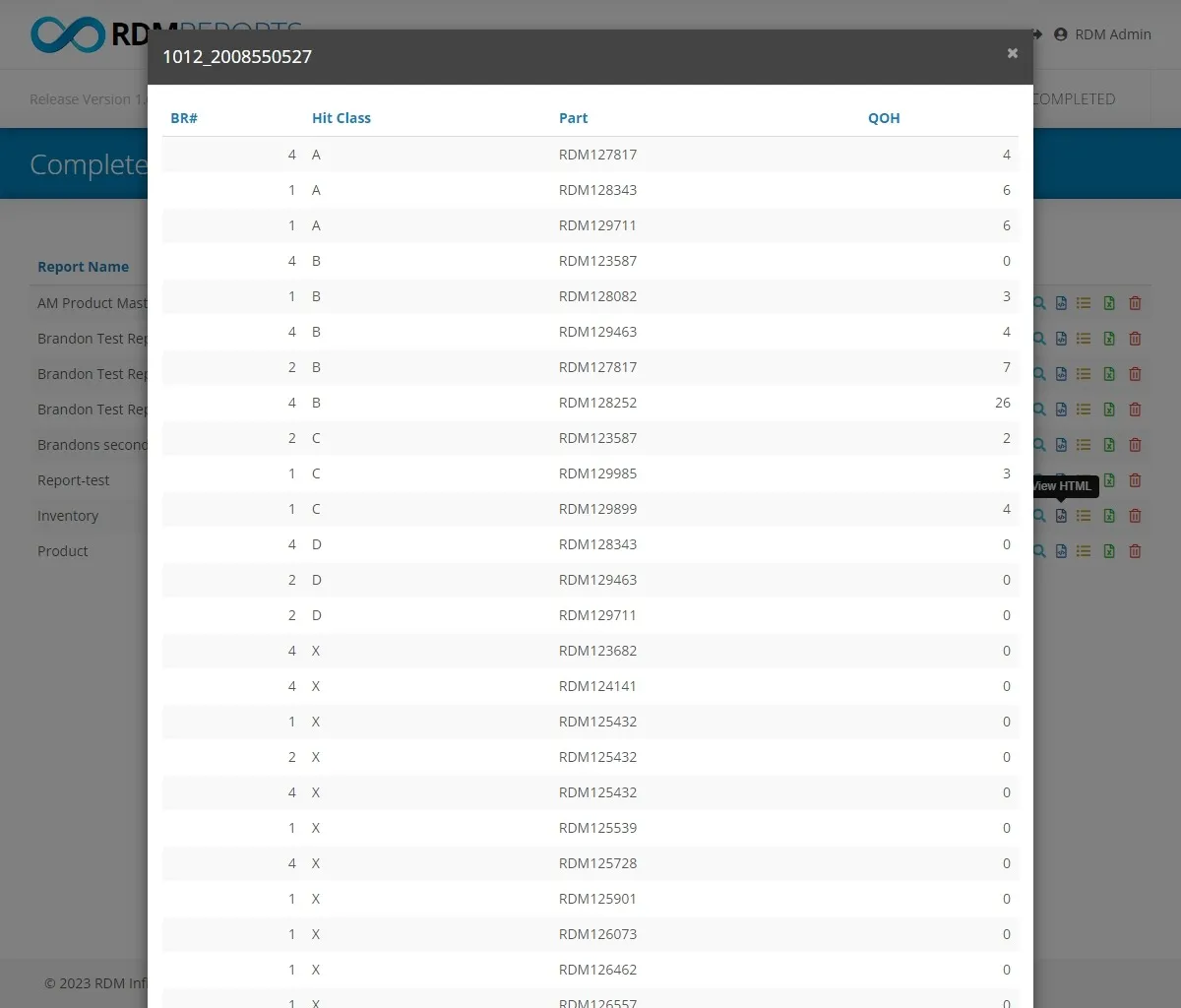
View generated reports in HTML, or export them by email, as CSV or as Excel XLS.

A generated RDM report shown in HTML: part numbers by branch and hit class with quantity on hand

Scheduled delivery

The built-in scheduler runs reports daily, weekly, monthly or quarterly and emails the export, as Excel XLS and/or CSV, to as many addresses as you need.

One set of numbers for everyone

Build a report once and publish it, and everyone from administrators to operations staff opens the same numbers, straight from your MultiValue data with nothing to copy out first. Filter and sort it to show exactly what each team needs, control who can see and run it, and let the scheduler email the Excel or CSV export daily, weekly, monthly or quarterly.

Who it’s for
  • Operations and branch managers who need the same numbers every week
  • Administrators who build reports for others
  • Teams that work in Excel
Talk to a Geek
How we work

Working with RDM

We work with the system you have to create the solution you need.

  1. 01

    Consultation

    Chat with one of our Geeks about your system and what you need. No sales pitch.

  2. 02

    A clear quote

    We quote the setup, installation and any customization before work starts.

  3. 03

    Installed for you

    Our Geeks install and set up the product on your system, built around your existing business logic.

  4. 04

    Grows with you

    Share new needs with our engineers to extend the feature set and business logic as your business changes.

Setup and installation are quoted after a consultation. Talk to a Geek

FAQ

Reports questions

Where does the report data come from?

RDM Reports extracts data directly from your MultiValue database.

What formats can reports be exported in?

Reports can be viewed in HTML and exported by email, as CSV or as Excel XLS.

Can reports run automatically?

Yes. The built-in scheduler runs reports daily, weekly, monthly or quarterly and emails the Excel XLS and/or CSV export to as many addresses as you need.

Who can use the reports?

Reports are created once and published, so administrators and operations staff alike can open them without building a report from scratch.

Can we filter reports and limit who sees them?

Yes. Reports can be filtered and sorted, and you control who can see and run each report.

What does it cost?

It depends on your system and setup. Chat with one of our Geeks for a consultation and a quote.

Talk to a Geek

Ready to get more from your MultiValue system?

Tell us what you’re running and what you need. A Geek will take it from there.