
Talk to a Geek
Product

RDM Forms

Generate professional PDFs for customers and staff with consistency and accuracy every time. RDM Forms pulls data directly from your MultiValue system and turns repetitive document creation into a simple, automated process.

Output
PDF invoices, contracts, reports, forms and certificates
Delivery
Print, email, fax or archive
Runs on
Your Windows or Linux web server
Works with
MVsharp, D3, UniVerse, UniData, jBASE, OpenQM, ScarletDME
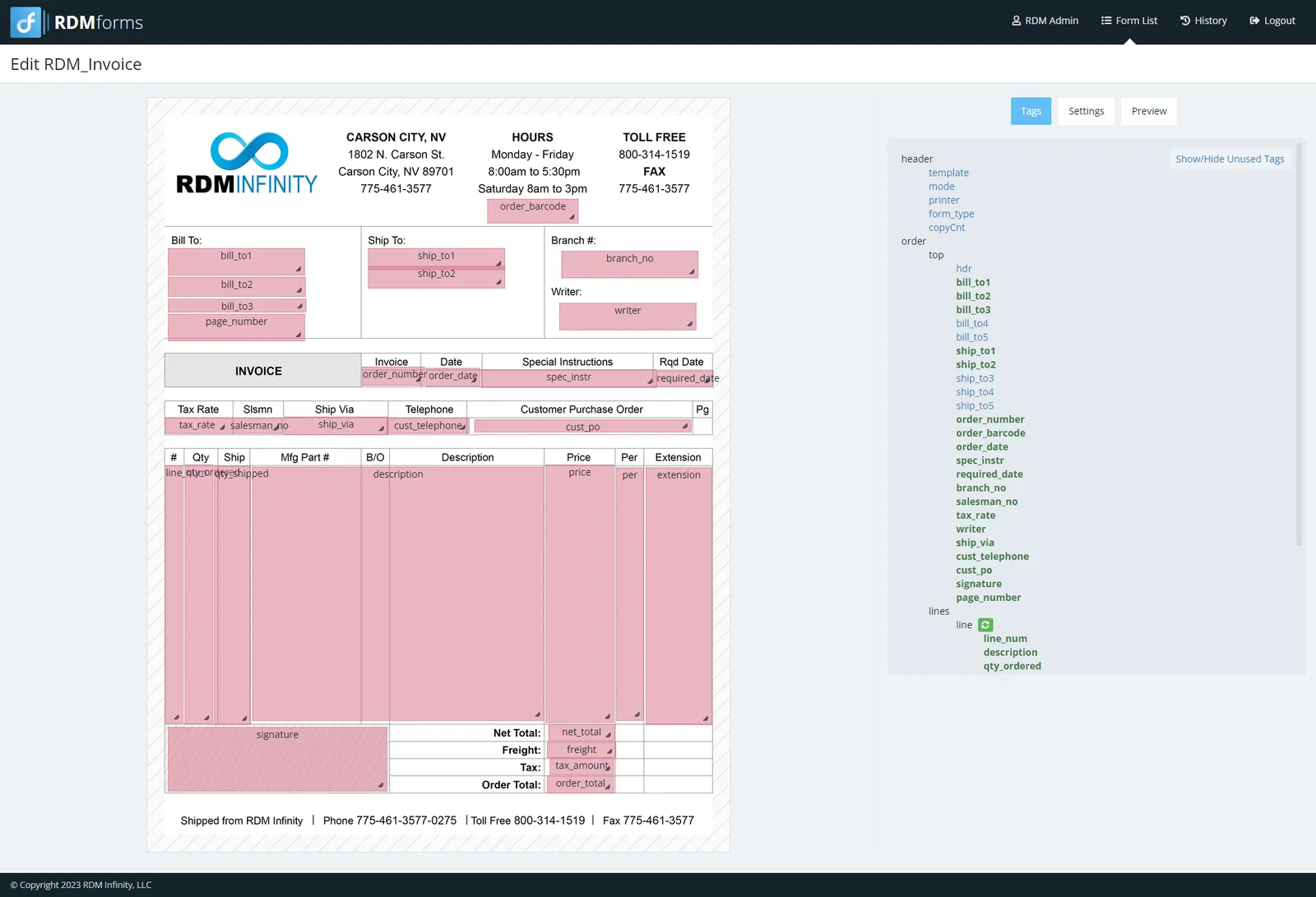
RDM Forms template editor: an invoice template with data tags placed over the form and the tag list beside it
The challenge

Pre-printed forms hold you back

Pre-printed stock costs money, runs out and has to be reordered every time a layout changes. Documents that only exist on paper are slow to reach customers and hard to find again when someone asks for a copy.

How it works

How RDM Forms works

  1. 01

    Design

    Lay out invoices, contracts or certificates on a PDF template in the drag-and-drop editor.

  2. 02

    Send

    Your MultiValue programs post the data to RDM Forms as XML or JSON.

  3. 03

    Deliver

    Each document prints, emails, faxes, downloads or archives by the rules you set.

What it does

Key features

Simple by design

No steep learning curve. Create and manage document templates in a drag-and-drop visual editor, whatever your technical background.

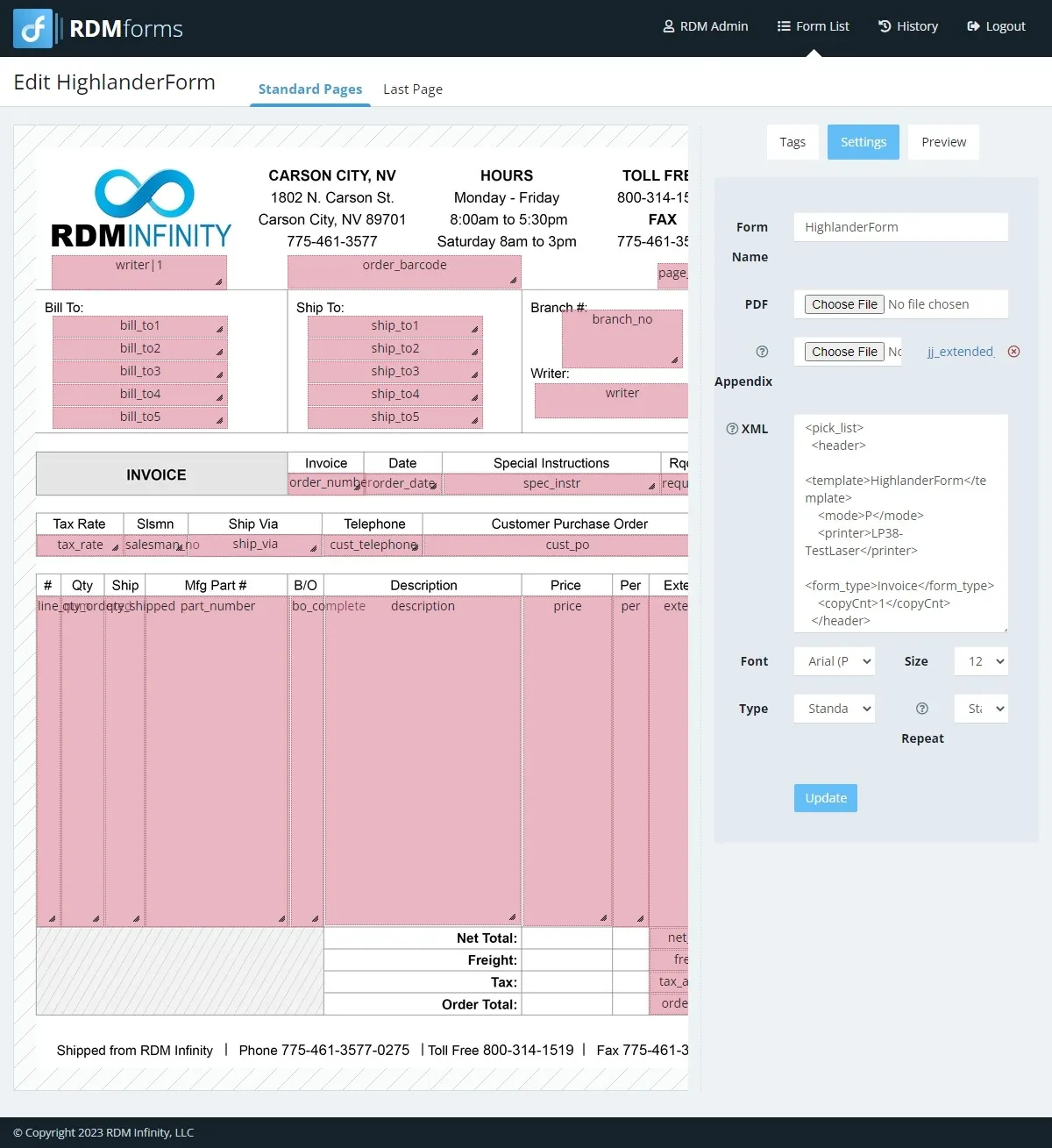
RDM Forms template editor: an invoice layout with data fields placed over the form

Flexible and adaptable

Customize templates to match your branding, workflows and processes, with custom fields, barcodes, signatures and form overlays anywhere on the page.

Create. Send. Store.

Print physical copies, email or fax documents, or archive them automatically for future access and compliance. Every job lands in a searchable archive where you can view, reprint or export it.

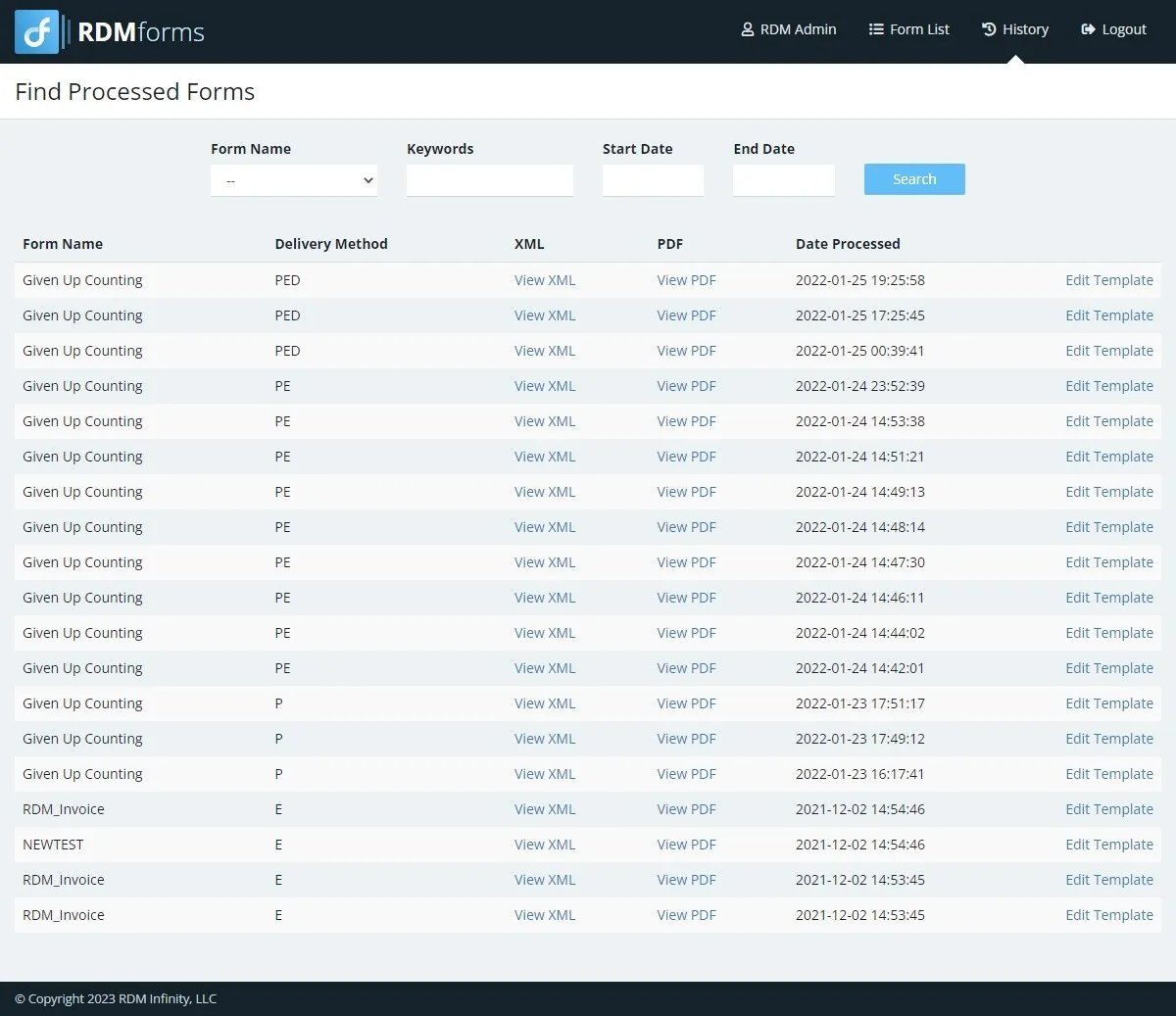
RDM Forms archive: a searchable list of processed forms with delivery method, XML and PDF links

Keep your print routines

Keep your existing printer routines and add PDF output. All forms print on plain copy paper, so you no longer depend on pre-printed forms or pay for them.

Email and fax built in

Send documents by email or fax alongside print, without a fax machine. Multiple email and fax services are supported, including RingCentral.

Accessible

Customers and staff can view your forms as PDFs on any device.

Secure

Documents are delivered by the rules you set.

Ready to simplify document generation?

If you're still relying on outdated document processes, you're spending more time and effort than necessary. RDM Forms gives you the tools to create professional documents faster, streamline your operations and keep information moving throughout your organization.

Who it’s for
  • Accounting teams sending invoices and statements
  • Sales and operations teams producing contracts, quotes and certificates
  • Businesses still buying pre-printed forms
  • Anyone who needs a searchable record of what was sent
Talk to a Geek
How we work

Working with RDM

We work with the system you have to create the solution you need.

  1. 01

    Consultation

    Chat with one of our Geeks about your system and what you need. No sales pitch.

  2. 02

    A clear quote

    We quote the setup, installation and any customization before work starts.

  3. 03

    Installed for you

    Our Geeks install and set up the product on your system, built around your existing business logic.

  4. 04

    Grows with you

    Share new needs with our engineers to extend the feature set and business logic as your business changes.

FAQ

RDM Forms questions

What documents can RDM Forms produce?

Invoices, contracts, reports, forms, certificates and custom business documents, as PDFs, with custom fields, barcodes, signatures and form overlays.

Do we still need pre-printed forms?

No. RDM Forms prints the complete form on plain copy paper, or sends it as a PDF, so you no longer need to buy pre-printed stock.

How are documents delivered?

Print, email, fax or archive. Multiple email and fax services are supported, including RingCentral. Every job is kept in a searchable archive where you can view, reprint or export it.

What does RDM Forms run on?

A Windows or Linux web server running a supported PHP release (PHP 8.4 or 8.5), with a MySQL database. Our Geeks install and set it up.

How does our MultiValue system send data to RDM Forms?

Your programs post XML or JSON data to the generate endpoint on your RDM Forms server, naming the form to use and how to deliver it.

Talk to a Geek

Ready to get more from your MultiValue system?

Tell us what you’re running and what you need. A Geek will take it from there.