Getting started
rdmBuild can be installed on any Linux server. The following documentation is focused on Red Hat Enterprise Linux (RHEL) and compatible systems: Rocky Linux, AlmaLinux and CentOS Stream, versions 9 and 10. (CentOS Linux 7 and 8 have reached end of life.)
Link to the GitHub repository: https://github.com/rdminfinity/rdmBuild
Requirements
The main requirement for rdmBuild is Node.js.
Optionally, Git and PM2 help with the deployment process.
Installation
RHEL, Rocky Linux, AlmaLinux and CentOS Stream (versions 9 and 10)
Use a supported long-term support (LTS) release of Node.js: currently 24 or 26. Node.js 22 is supported until April 2027.
On version 10, install Node.js and npm:
dnf install nodejs npm
On version 9, list the Node.js versions available and install the newest one, for example:
dnf module list nodejs
dnf module install nodejs:22
For the newest Node.js releases on either version, you can use the official packages from nodejs.org.
Optionally, install Git to clone rdmBuild from GitHub:
dnf install git
To make sure Node.js is installed correctly, run the following command:
node -v
It should output the installed Node.js version.
Build
Using Git
Go to the folder where rdmBuild will be installed.
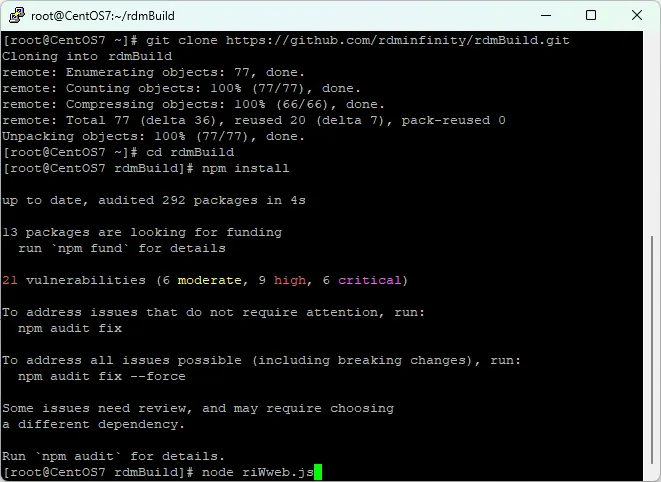
Inside that folder, run the following command to download the source code from GitHub:
git clone https://github.com/rdminfinity/rdmBuild.git
This should create a directory called rdmBuild. Go to that directory:
cd rdmBuild
Install the requirements for rdmBuild using the following command:
npm install
To start rdmBuild, run the following command:
node riWweb.js
Note that this will run rdmBuild in your Linux terminal. Once you press Ctrl+C or close your terminal, rdmBuild will stop working.
To enable rdmBuild to run in the background, and to launch on boot, see Enable restart on boot.
Using source code
Download the zip file from GitHub: https://github.com/rdminfinity/rdmBuild
Use an FTP program to upload the zip file to the folder where rdmBuild will be installed.
Now, on the Linux terminal, go to the same folder where rdmBuild is found:
cd /path/to/rdmBuild
Install the requirements for rdmBuild using the following command:
npm install
To start rdmBuild, run the following command:
node riWweb.js
Note that this will run rdmBuild in your Linux terminal. Once you press Ctrl+C or close your terminal, rdmBuild will stop working.
To enable rdmBuild to run in the background, and to launch on boot, see Enable restart on boot.
Enable restart on boot
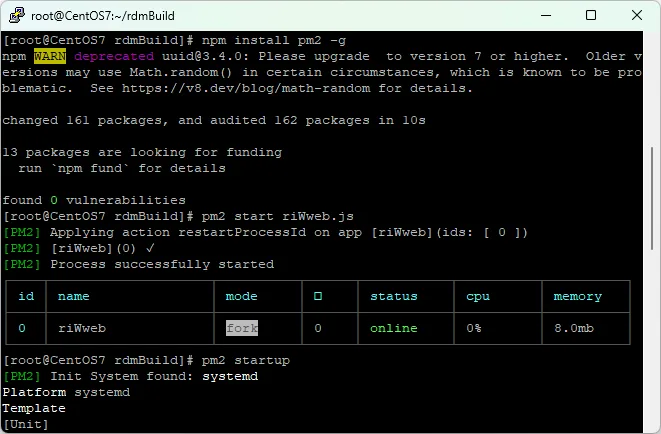
To enable rdmBuild to start on boot, or to restart when the Linux server is rebooted, PM2 must be installed.
To install PM2, run the following command:
npm install pm2 -g
Then, run rdmBuild using PM2:
pm2 start riWweb.js
After that, enable PM2 to launch on reboot:
pm2 startup
Finally, save the current list of programs running in PM2 to launch on boot:
pm2 save